Required CAQH Sections
All providers must fully complete the required sections of their CAQH profile before credentialing can move forward.
You are not required to complete your entire CAQH profile — only the sections listed below.
Have questions? We're here to help!
Join our live sessions or contact the team for assistance.
Credentialing & Licensing Office Hours | Every Thursday at 4 pm EST. Join us on Zoom by clicking here! |
Credentialing Email | Reach our team at credentialing@usenourish.com! |
Personal Information
Professional IDs
Education & Professional Training
Specialties
Employment Information
Disclosure
Each section above is explained in detail below with step-by-step guidance.
✅ Personal Information
This section collects your basic demographic details, like your full legal name, Type 1 NPI, and date of birth. It also includes your practice states.
Additional states may need to be added as we credential you. Adding a new state can trigger additional required questions and documents within your CAQH profile.
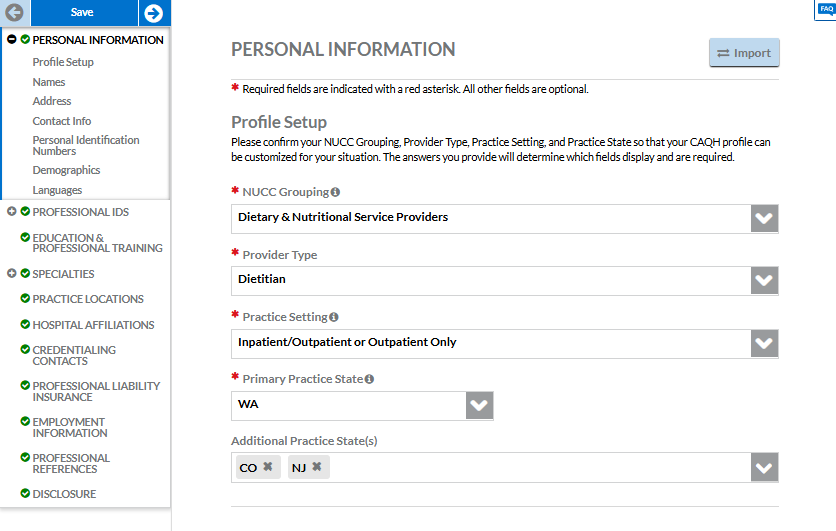
📸 Make sure these fields are completed exactly as shown to avoid credentialing issues:
NUCC Grouping: Dietary & Nutrition Service Providers
Provider Type: Dietitian
Practice Setting: Inpatient/Outpatient or Outpatient Only
Practice State: Washington (or the state(s) where you’re licensed)
✅ Professional IDs
This is where you’ll enter a license number for each Practice State you listed in your Personal Information section. You must include a license for every state you listed.
If a state doesn’t require licensure (like CO), you still need to list something—enter your CDR number instead of a license.
Licensing is the only part of this page you need to fill out—you can leave the rest (like CDS Registration) blank.
🔍 Heads up: Sometimes states like TX or NJ may appear even if you’re not licensed there—this is okay and may mean we submitted credentialing on your behalf to a payer in that state.
Click here for more information: Why Do I See New Jersey and Colorado Listed in my CAQH Profile?
✅ Education & Professional Training
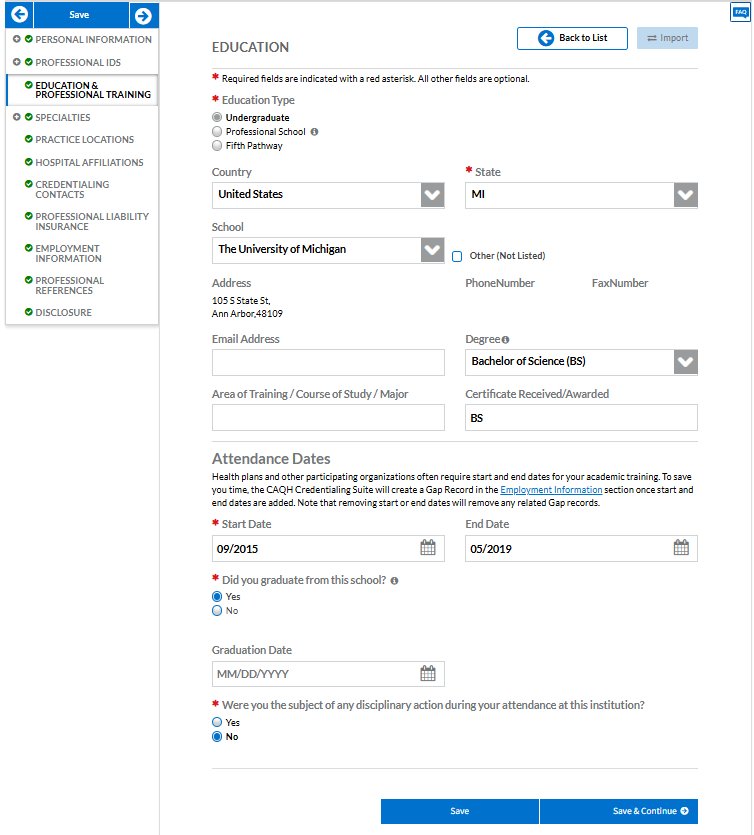
This section asks for your academic background. Providers only need to enter two things:
Your Bachelor’s degree
Your Graduate degree, if applicable (e.g., MS in Nutrition)
🗓️ For all dates, just enter the month and year—you don’t need the exact day.
You do not need to include your internship or get overly detailed. Keep it simple!
📸 Insert screenshot showing example entries for BS and MS degrees
💡 Why this matters:
CAQH now links your entries in this section to the Employment Information section.
Payers require an explanation for any employment gaps longer than 60 days, and your education records help automatically fill those gaps.
✅ Specialties
This section confirms your professional focus and board certification.
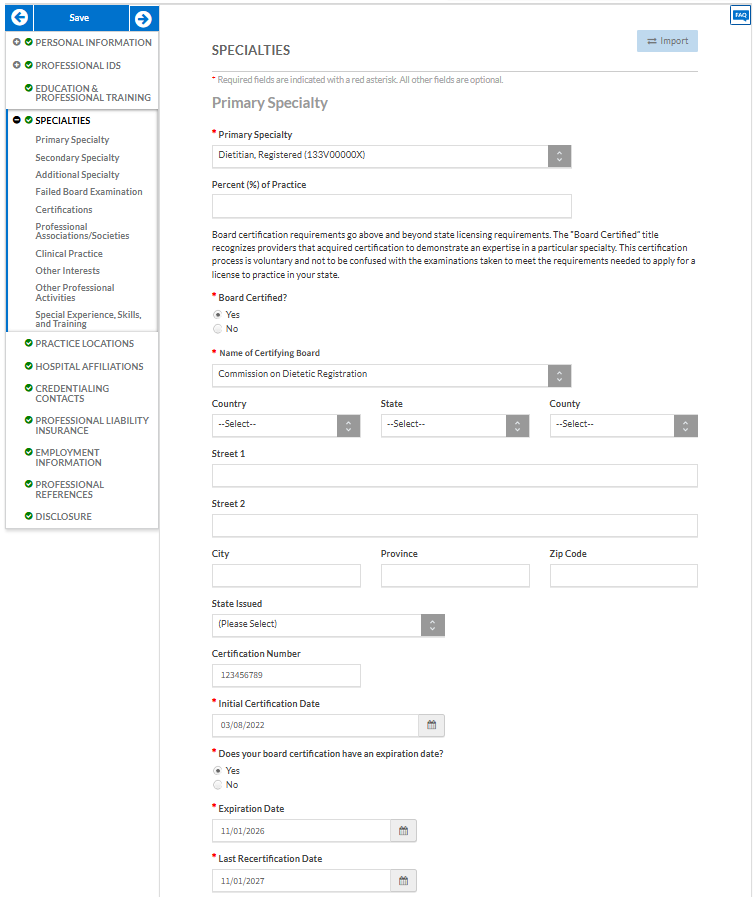
You must fully complete your CDR information, including certificate number
You’ll enter:
Primary Specialty: Dietitian, Registered
Name of Certifying Board: Commission on Dietetic Registration (CDR)
Certification Number: Your CDR certificate number
Effective Date / Expiration Date: Use the dates from your CDR profile or card
✅ That’s all you need! You do not need to enter any additional specialties or certifications.
Nothing else on this page is required—feel free to leave the rest blank.
✅ Employment Information
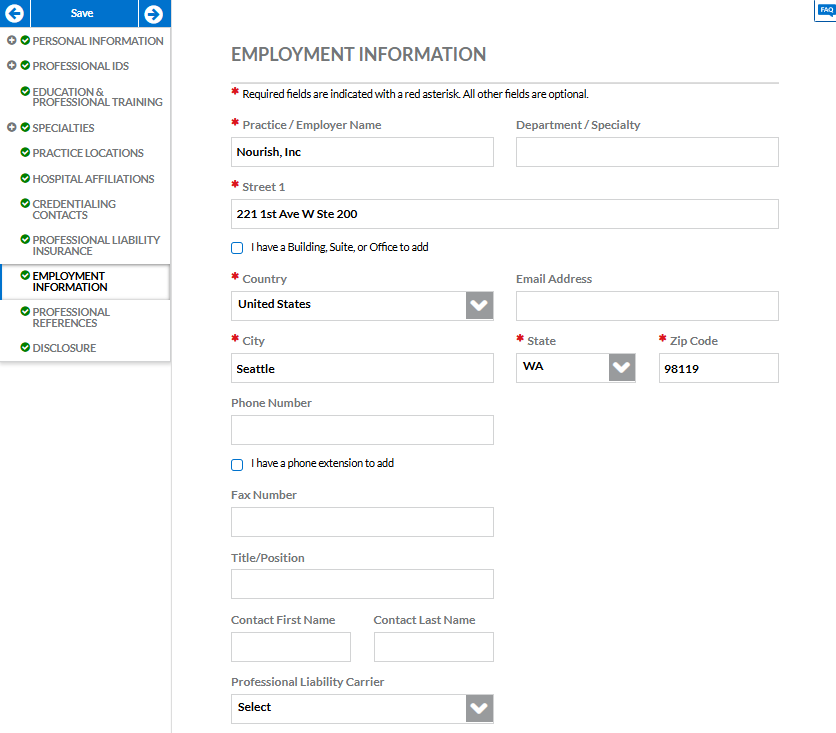
Please complete a full 10-year employment history. Payers require this to approve your credentialing applications. Even small gaps can delay processing.
⚠️ Incomplete work history will lead to follow-up requests and slow down approval.
Make sure to list Nourish, Inc. as your current employer.
Gaps in Employment?
If you had a gap longer than 60 days, add a gap record:
In the Gap Explanation box, write:
Worked in non-healthcare fieldorOtherMake sure the dates match the length of the gap
✅ Disclosure
Everyone must complete the CAQH Disclosure section. Some states also include additional disclosures that appear as tabs along the top of this section in CAQH. These include:
Oregon (OR)
Minnesota (MN)
North Carolina (NC)
Washington (WA)
Texas (TX)
This section includes a series of required yes/no questions about your background.
🛑 Answer all questions truthfully. If you answer “Yes” to any question, a text box will appear and you must provide a brief explanation.
There are no optional questions in this section.
Some questions have confusing wording, pay attention to the following state specific questions:
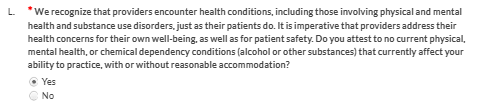
OR: Question L answered correctly (Yes)
OR: Question M answered correctly (No)
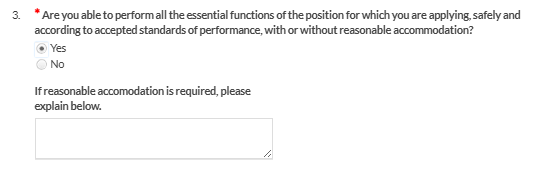
CO: Question 3 answered correctly (Yes)
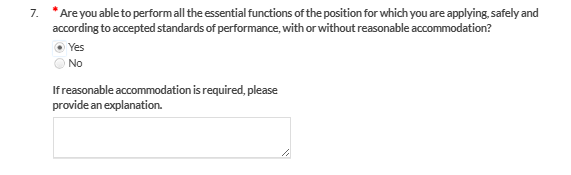
GA: Question 7 answered correctly (Yes)