
Authorize Nourish to Update Your CAQH
The Council for Affordable Quality Healthcare (CAQH) streamlines healthcare administration through the CAQH Provider Data Portal. This database is used by virtually all payers to credential providers. It’s where you manage and share your credentialing information.
To be credentialed with Nourish, you must have a completed, attested, and up-to-date CAQH profile that reflects your practice with us. Payers pull data directly from CAQH, so accuracy is critical. Even small errors can delay credentialing.
New to CAQH? Create a new profile.
Already have CAQH? Continue using your existing profile, but it must be updated with your current information and Nourish’s practice details.
Who Updates Your CAQH Profile?
During onboarding, you’ll complete the Verifiable Onboarding Form. In the CAQH section, you’ll see a checkbox — this is where you elect whether Nourish updates your profile or you manage it yourself:
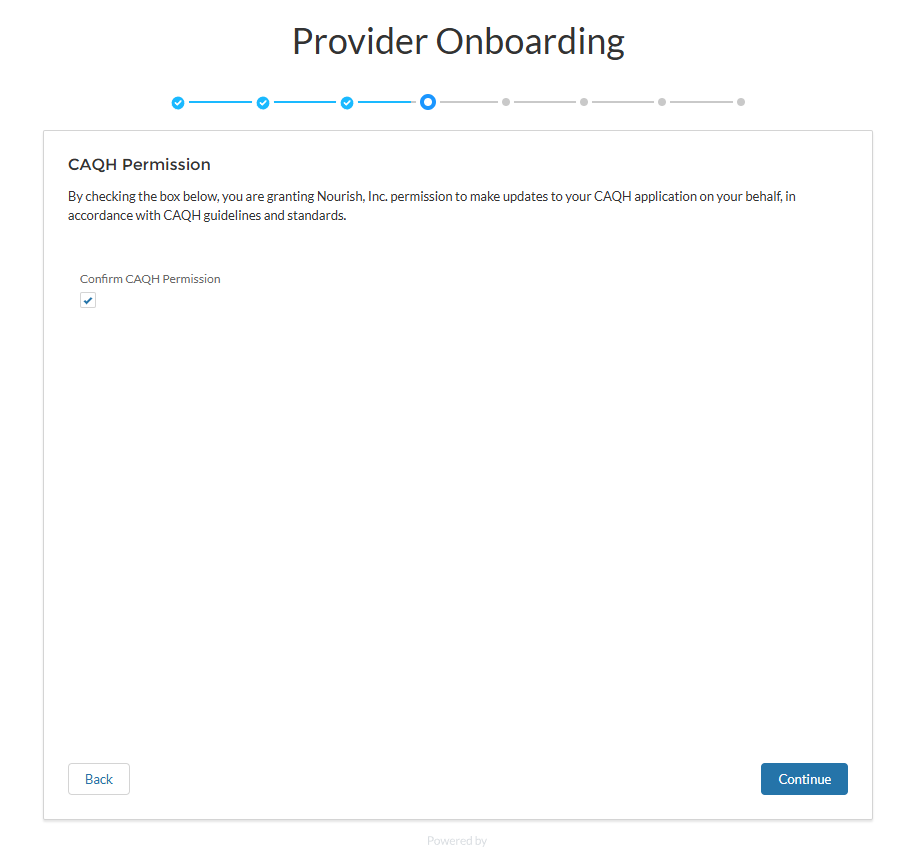
If you check the box ✅→ Nourish will update and maintain your CAQH profile.
If you leave it unchecked ❌→ You’ll manage your own CAQH profile.
Option 1: ✅ Nourish Updates for You
If you opted in, our team will:
Add and maintain Nourish practice locations
Keep Nourish’s group professional liability insurance (PLI) current
Upload required documents
👉 You still need to complete the required sections listed below.
Option 2: ❌ You Manage Your Own Profile
If you opted out, you’re responsible for completing and maintaining your full CAQH profile. Use the linked guide for section-by-section help.
If you want to update your choice later, email credentialing@usenourish.com.
⚠️ Required Sections – Must Be Completed by You
These sections must be completed by every provider. Credentialing cannot move forward until they are finished:
Personal Information
Professional IDs
Specialties (Including CDR information)
Education & Professional Training
Employment / Work History (10 years, with any gaps explained)
Disclosure
Once these are done, our team can add Nourish’s details and maintain your profile.
👉 📄 See Full Guide: What Providers Must Complete in CAQH
Ongoing Responsibilities
After the initial setup, here’s how responsibility is shared:
Nourish will maintain:
Practice locations
Nourish’s group PLI policy
Document uploads
You are responsible for:
Personal (non-Nourish) PLI policies
Updating new or renewed licenses
Any non-Nourish practice locations
Updates to your CDR
