
How to Register for a CAQH Account
New to CAQH? Here's how to get started.
Step 1: Start Your Registration
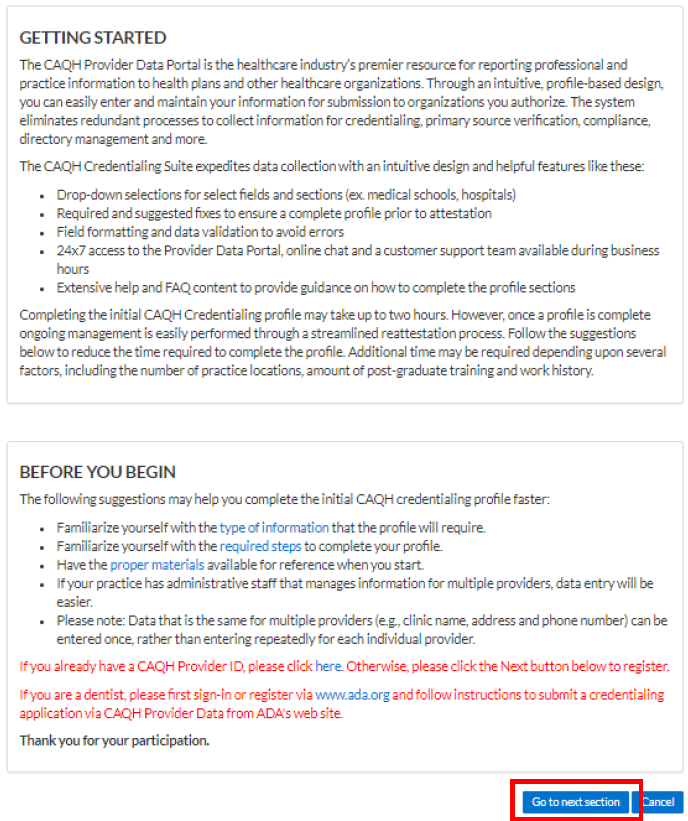
Under First Time Here?, click Register Here
Click Go to next section to begin
Step 2: Enter Your Information
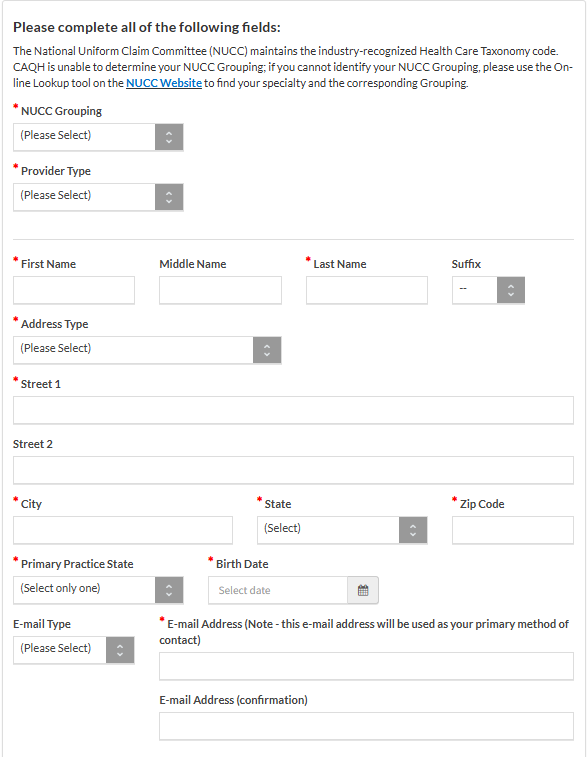
You’ll need to fill out the following:
NUCC Grouping → Select:
Dietary & Nutritional Service ProvidersProvider Type → Select:
DietitianFull Name and Date of Birth
Home/Practice Address
Primary Practice State
Email Address
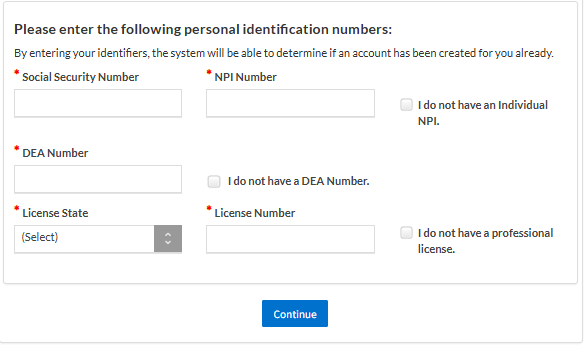
Social Security Number (SSN)
NPI Number
License State and License Number
DEA Number (if applicable)
⚠️ If you don’t have an NPI, DEA, or license yet, check the boxes that indicate this.
Step 3: Check Your Email
You’ll receive an email from CAQH with:
Your CAQH Provider ID
A link to complete your account setup
Step 4: Complete Your Account Setup
Click the link in the confirmation email
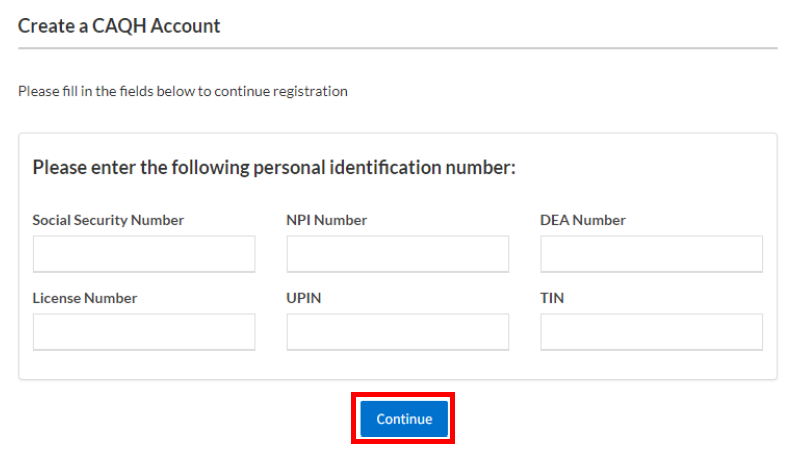
On the Create a CAQH Account page, enter your CAQH Provider ID
Click Continue
Enter your personal identification numbers (such as SSN, NPI, license info), then click Continue to proceed to creating a username and password
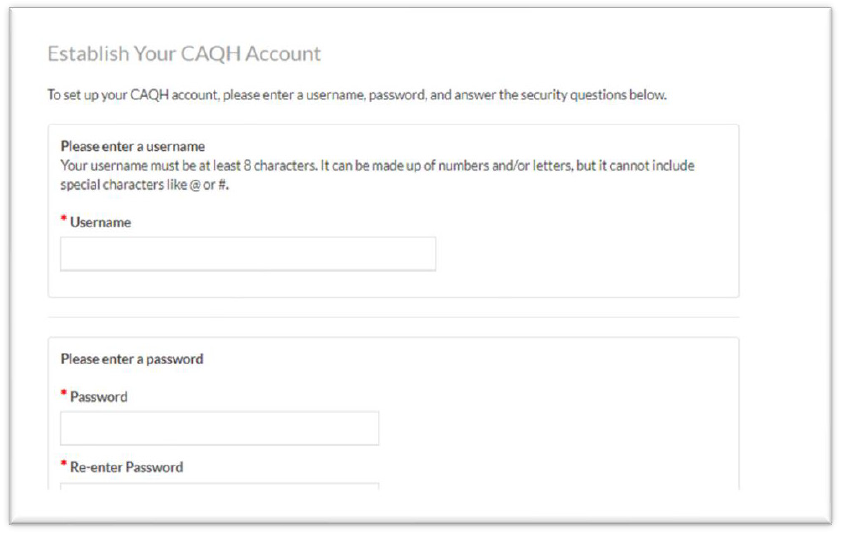
Step 5: Create Your Username & Password
Enter your desired username and password
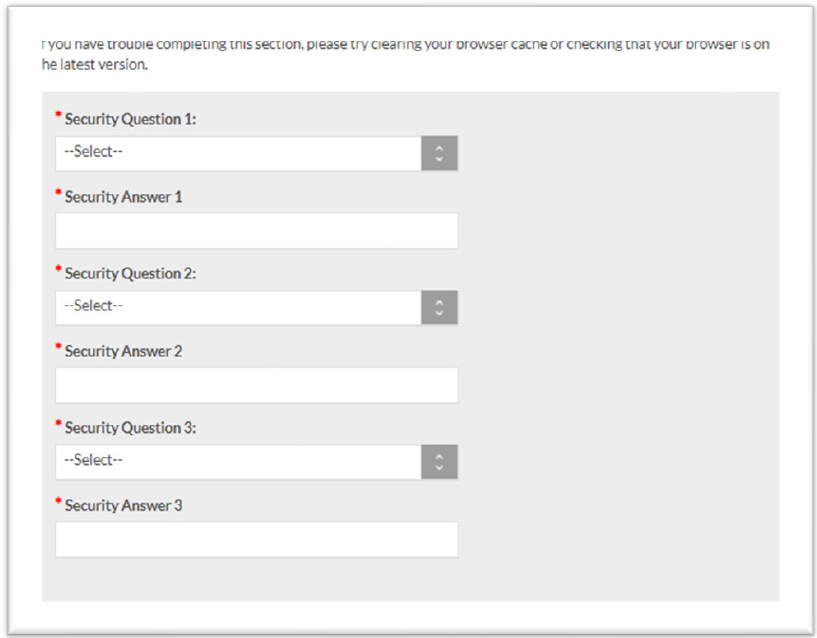
Set up 3 security questions and answers
Step 6: Accept Terms & Finish
Check the box to agree to CAQH Terms of Service
Click Create Account
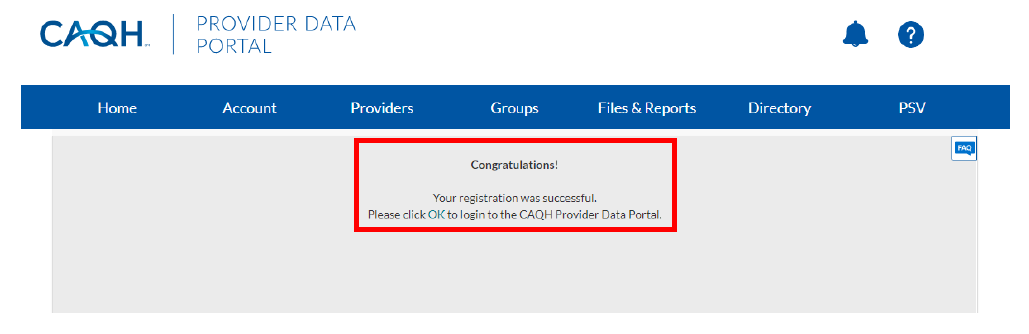
Once complete, you’ll be redirected to the Sign In page. Use your new credentials to log in and begin entering your information.