
Submit Your Credentialing Onboarding Form
Note: If you joined Nourish before December 1, 2025, your dashboard may show the Verifiable Onboarding Form task instead. In that case, you will complete your credentialing onboarding form through Verifiable. Please refer to this help center article for detailed instructions on completing the Verifiable form.
The Credentialing Onboarding Form is a short form completed through the provider portal. During this process, you’ll upload:
Your NPDB report
Your resume
You’ll also provide your CAQH login information and select your opt-in status (whether Nourish updates your CAQH for you).
Step 1: Find the Credentialing Form as part of the Credentialing Onboarding Checklist
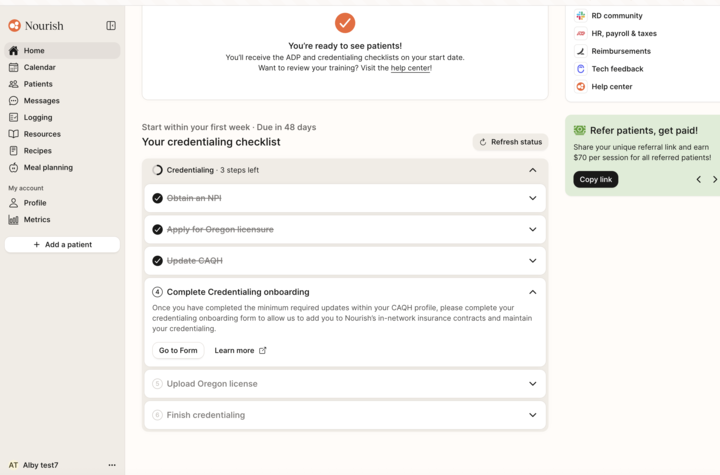
Click Go to form to complete this step
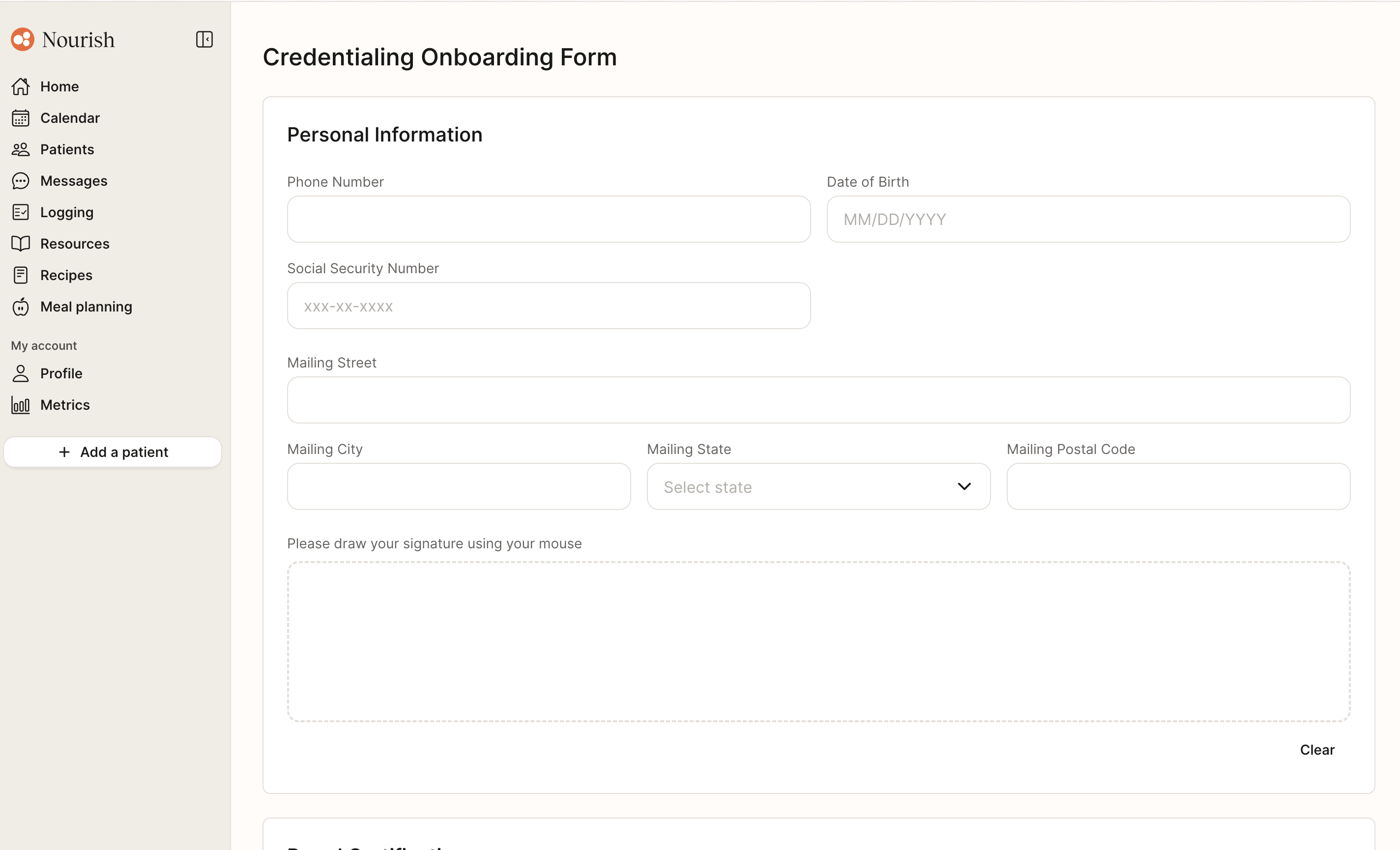
Step 2: Complete Personal Information
Enter your Phone Number
Enter your Birthdate.
Enter your Social Security Number.
Enter your Mailing Address (Street, City, State, Zip/Postal Code).
Draw your Signature in the box provided.
Step 3: Add Board Certification
Enter your CDR Certification Number.
Enter your CDR Expiration Date.
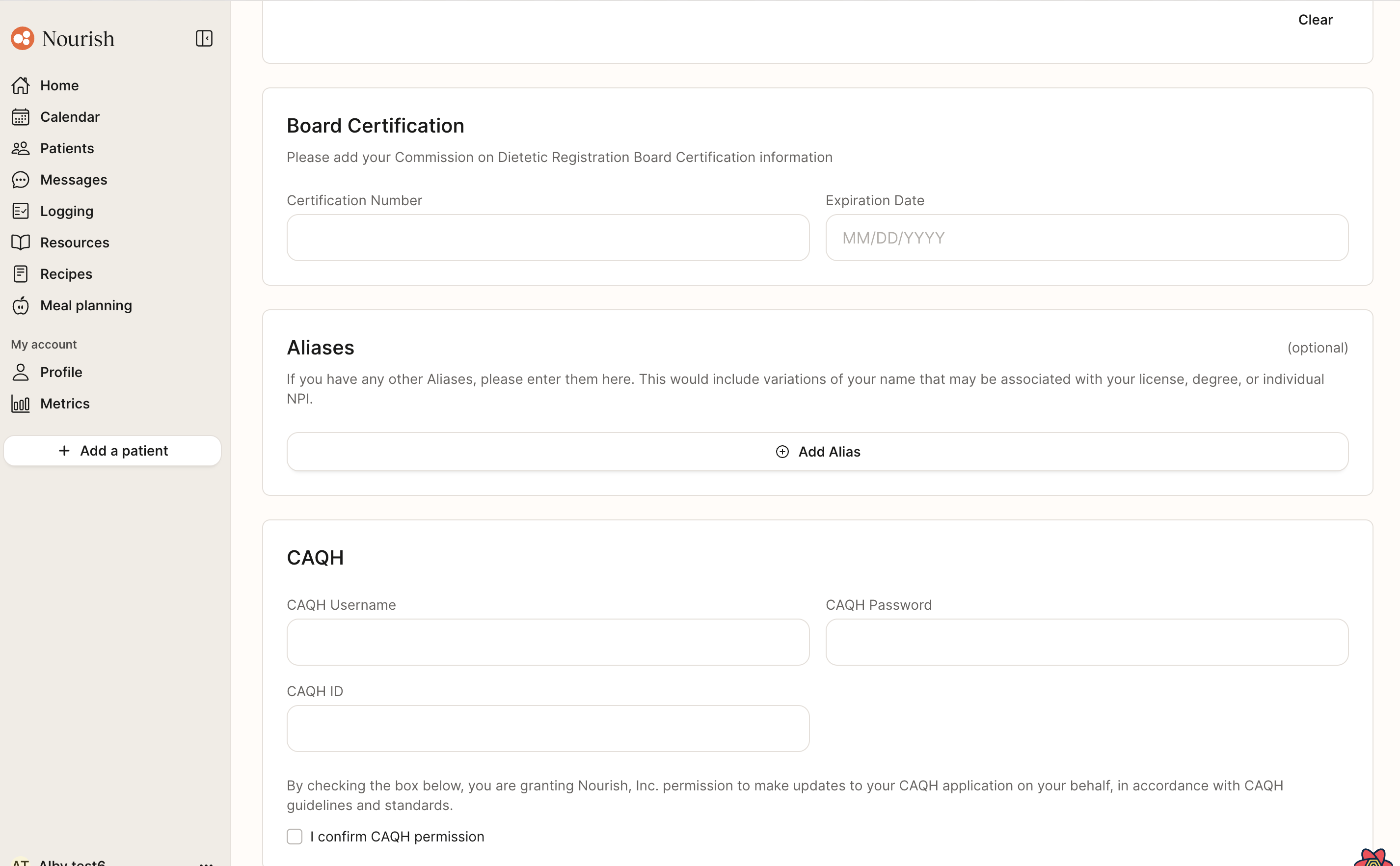
Step 4: Enter Aliases
If you have any aliases (former name, maiden name, etc.), click Add Alias and complete the fields.
Step 5: CAQH
Enter your CAQH Username, CAQH Password, and CAQH ID.
Click I Confirm CAQH Permission if you’d like to opt for Nourish to manage your profile updates.
Step 6: Upload Required Documents
You will upload two documents — resume and NPDB report.
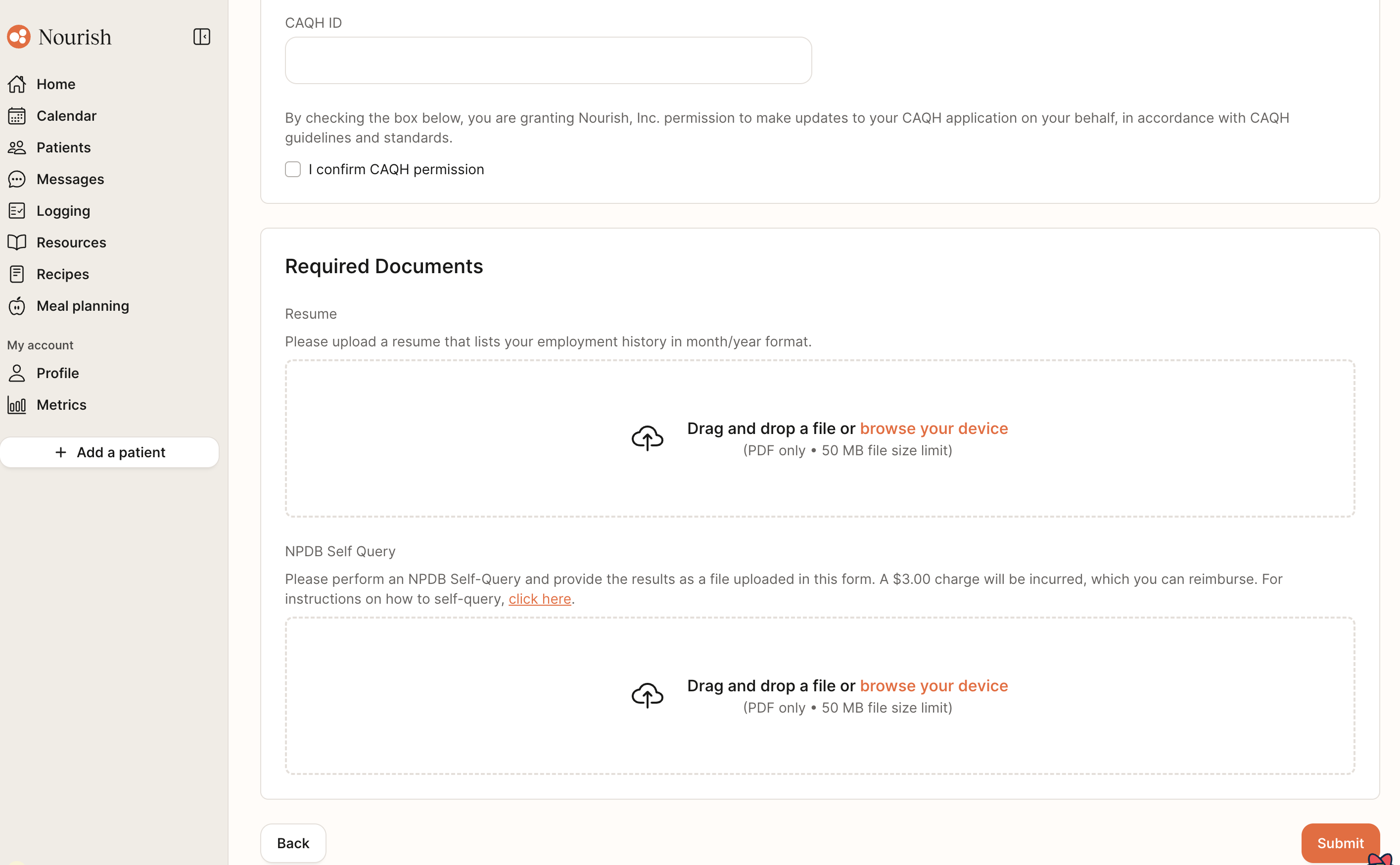
Step 7: Submit Form
Click Submit to submit your Onboarding Form.
Status will display as Completed