
Patient Portal / App
Estimated view time: Approximately 10 minutes
Overview
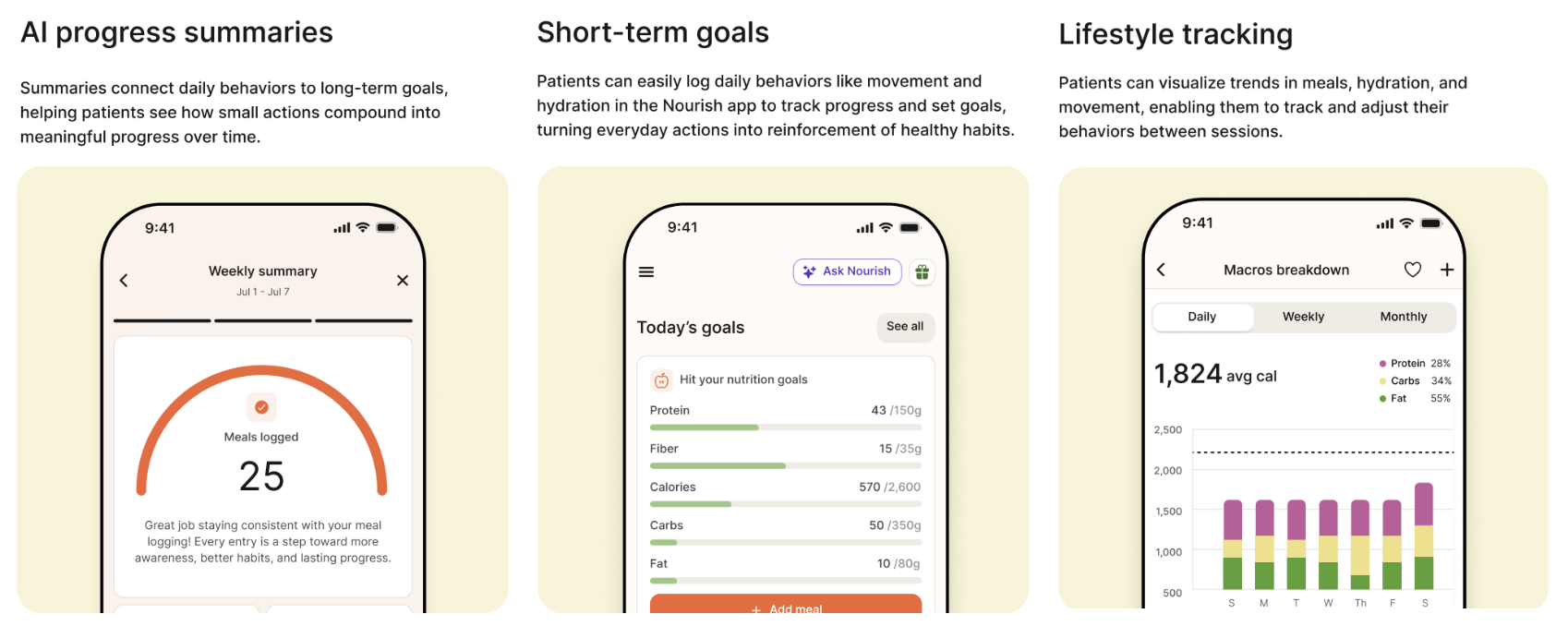
The Nourish Patient Portal is a patient’s central hub for everything they need to do before and between sessions. It’s the only system patients interact with at Nourish and is integral to their care. Through intuitive tools, the portal helps patients stay engaged between visits, log their meals, complete required tasks with ease, and remain on track toward their health goals.
Experience the Patient App Yourself
You can explore the patient experience firsthand by downloading the Nourish app from the App Store or Google Play and creating an account using a personal email. While the app doesn’t currently provide access to the Provider Portal, it’s a great way to see the tools and features your patients use between sessions!
Set Your Patients Up for Success
During your first session, encourage your patients to download the app.
Access is essential for joining appointments, messaging you, and accessing resources. Taking a few minutes to make sure they have access will help ensure a smooth experience from day one.
Patients can access the portal at https://app.usenourish.com or download the Nourish app from the App Store or Google Play Store. To sign in, they should use the email they registered with and enter the most recent verification code sent to that email.
Before their first session, patients will receive an automated welcome email with instructions for accessing the portal. If they run into any issues, they can reach out to support@usenourish.com for assistance with signing in or downloading the app.
