
Complete the Credentialing Onboarding Form
⏰ Important deadline: You are required to complete this form within 14 days of your start date to ensure you remain compliant with payer requirements and continue reaching patients across plans.
The Credentialing Onboarding Form is a short form located on your Credentialing Checklist in the Nourish Provider Portal. As part of this process, you’ll provide your signature which will be used for completing credentialing and related practice documentation on your behalf.
💡 CAQH Profile Management: Within this form, you can choose to have Nourish manage your CAQH profile by checking the box to grant us permission.
Have questions? We're here to help!
Join our live sessions or contact the team for assistance.
Credentialing Office Hours | Every Thursday at 4 pm EST. Join us on Zoom by clicking here! |
Credentialing Email | Reach our team at credentialing@usenourish.com! |
Step 1: Step 1: Locate the Credentialing Onboarding Form in your Credentialing Checklist
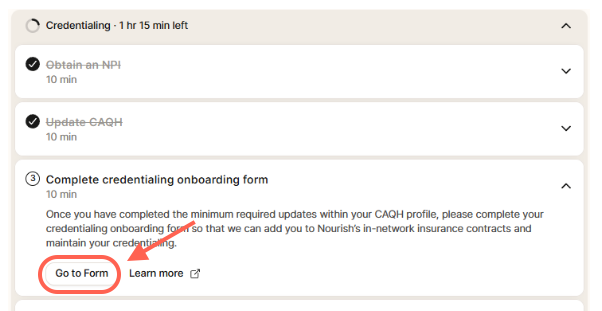
Click Go to Form to complete this step
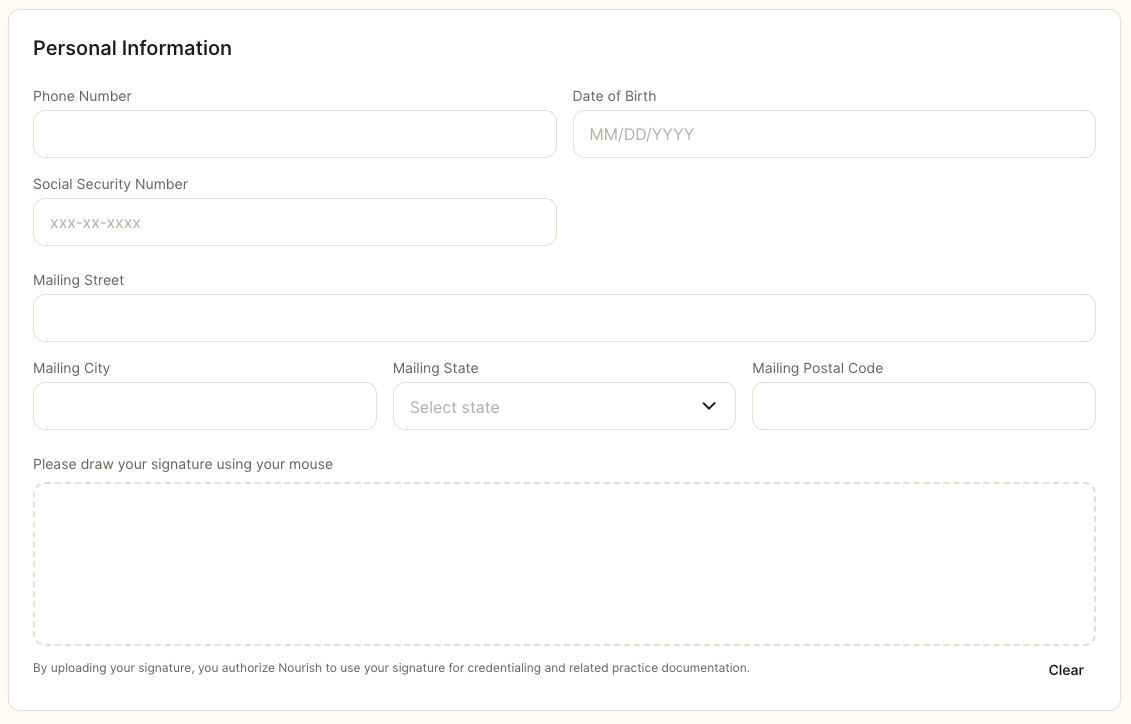
Step 2: Complete Personal Information
Enter your Phone Number
Enter your Date of Birth
Enter your Social Security Number
Enter your Mailing Address (Street, City, State, Zip/Postal Code)
Draw your Signature in the box provided
Step 3: Enter CDR Certification Information
Enter your CDR Certification Number
Enter your CDR Expiration Date (if you don't know it, you can look it up using your CDR number HERE)

Step 4: Enter Aliases
If you have any aliases (former name, maiden name, preferred name, etc.), click Add Alias and complete the fields.
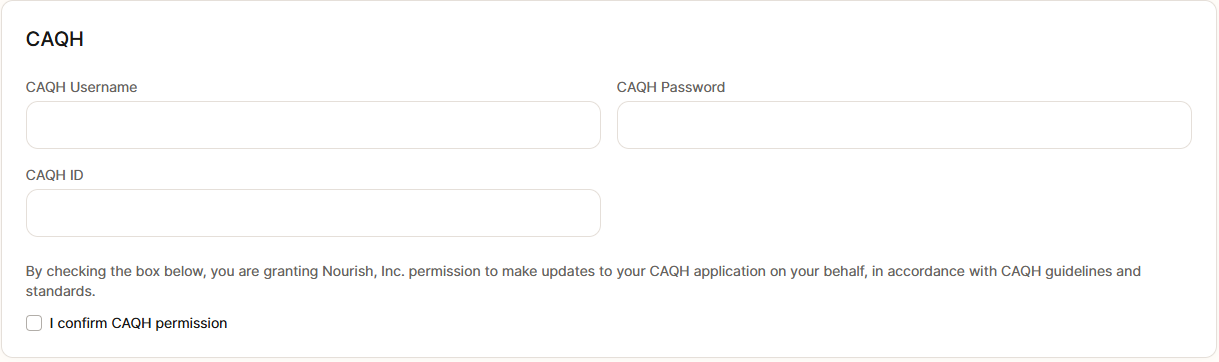
Step 5: Enter CAQH Information
Enter your CAQH Username, CAQH Password, and CAQH ID: these are required regardless of whether you want to manage your profile independently.
Click I Confirm CAQH Permission if you’d like to opt for Nourish to manage your profile completion or updates.
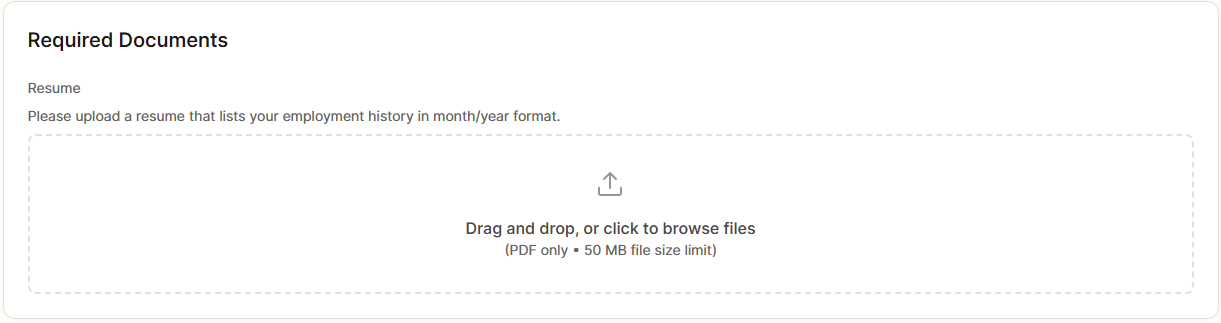
Step 6: Upload Your Resume
Step 7: Submit Form
Reminder: This form must be completed within 14 days of your start date.
Click Submit to complete your Onboarding Form.
Status will display as Completed